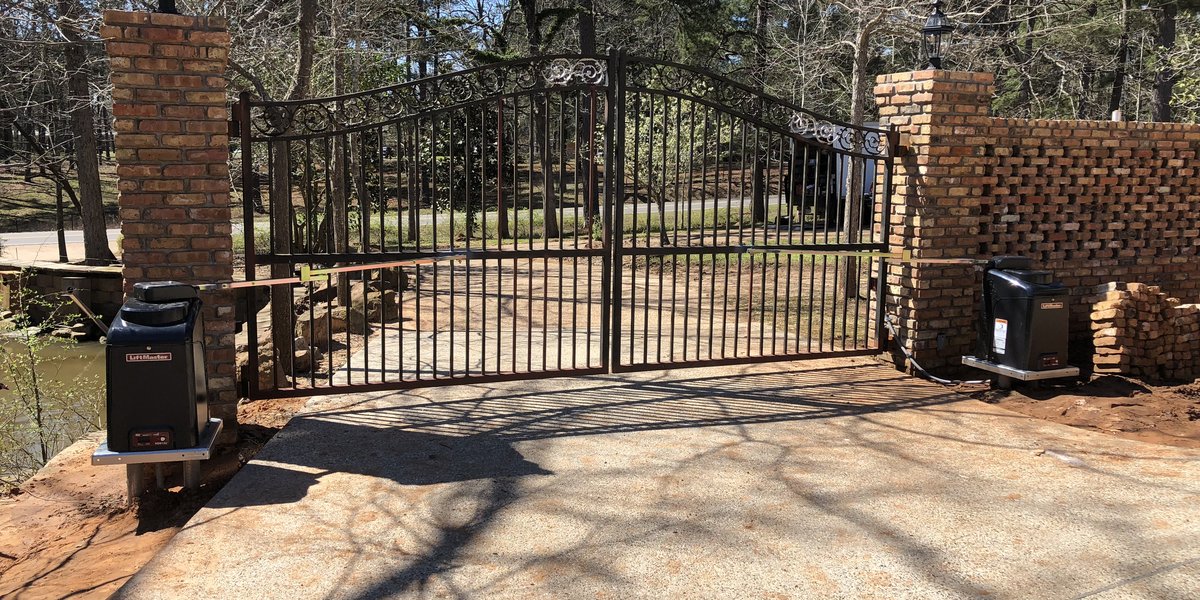
LiftMaster Pad-Mount Swing Gate
Power
Checking the power to your gate system should always be the first step in diagnosing why your gate system has stopped working. Quite often you can solve your issue starting here.
Breakers
Properly installed gate systems should have nearby power switch/disconnect or a labeled breaker in the panel. Storms and rain can often cause breakers to "throw". If this happens, just reset the breaker. Even if it has not, a good thing to try first is to turn the breaker/power off for about 10-20 seconds and turn it back on.
NOTE: LiftMaster openers have battery back-up and do not completely reset by turning power off and on.
Solar Panel
Make sure your solar panel is pointed directly due North and has full sun atleast 4-6 hours a day. In Spring, trim back into plants that grow over your solar panel. Blocking the panel by just a small amount can greatly affect it's charging potential. When we service a gate system, we always trim back nearby plants that risk growing over solar panels.
Batteries
Depending on the model you have, some LiftMaster openers require good batteries to operate.
- Requires Batteries
- RSW12xx
- CSW200xx
- Does not have any batteries. Does reset completely with power cycling at breaker
- Does Not Require Batteries, but does use for battery-backup
- CSW24xx
- HDSW24xx
The batteries in pad-mount LiftMaster openers are less-accessible than actuator style models and is not recommended for homeowners to replace. Please Contact Us and we'll take care of your batteries.
Always set the front reset switch to "Manual/Disconnect" and turn the breaker off before proceeding. The batteries are accessible with a 1/2inch end wrench to remove 3 bolts; one in the very front top and one screw (the front screw) from either side of the opener. Removing these will allow you to slide the front cover forward and slide it out. You will be able to see the batteries from the right-hand side on a tray. If they are over 3 years old it's good to go ahead and replace them. They are (2) 12Volt 7ah batteries available in several retail locations, local battery stores, and even Amazon.
Photo-Eye Alignment
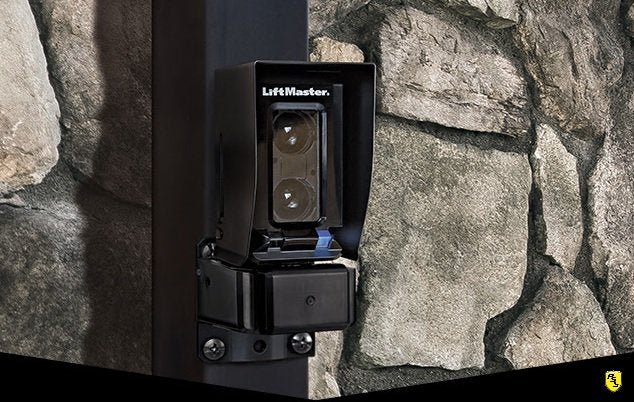
Check for anything blocking your Photo-Eye, such as newly installed decorations or plants
Look for this Photo-Eye installed near the hinged side of your gate. Then on the opposite side of the driveway you should see a small rectangular reflector. Wipe both of these items with a rag and check they are not broken.
While standing outside the path of the gate, try to activate the gate with your remote control. If it does not move, inspect your photo eye's illuminated lights; it should be blue. A red illuminated light means the photo-eye cannot see it's reflector by either blockage or misalignment. You can attempted to correct the misalignment, but will need a few allen wrenches (sometimes common practice to leave inside the control box).